 IndieBase

Table of Contents
Requesting Patient Feedback
How IndieBase automatically sends a feedback questionnaire to a patient when a job is marked as done
Requesting Patient Feedback
When a job is marked as done, IndieBase can automatically email the patient a feedback questionnaire — but only if the right conditions are in place. This article explains exactly what those conditions are and how the system behaves.
Overview
Patient feedback is triggered automatically at the moment you mark a job as done. There's no separate step to send a feedback email — the system does it for you, provided the patient has given consent, has a valid email address recorded, and your team has feedback configured and active.
A blue information message appears in the Patient Details panel in real time to let you know a feedback email will go out when you close the job. If the message isn't there, the email won't be sent.
Before You Start
- Your team's feedback configuration must be set up and set to Active. If feedback isn't configured yet, see Configuring Patient Feedback.
- You must have a patient record on the job — feedback is linked to the patient, not the job itself.
- Patient data entry (PID) must be enabled for your team — the Email and Consent for feedback fields only appear when PID is active.
The Three Conditions for Automatic Feedback
All three of the following must be true for a feedback email to be sent when a job is marked as done:
- Your team's feedback configuration is Active — the feedback feature must be switched on in your team settings.
- The patient has a valid email address — the Email field in the Patient Details panel must be filled in with a properly formatted email address.
- The patient has given feedback consent — the Consent for feedback toggle in the Patient Details panel must be switched on.
If any one of these conditions is not met, no email will be sent.
The Feedback Warning Message
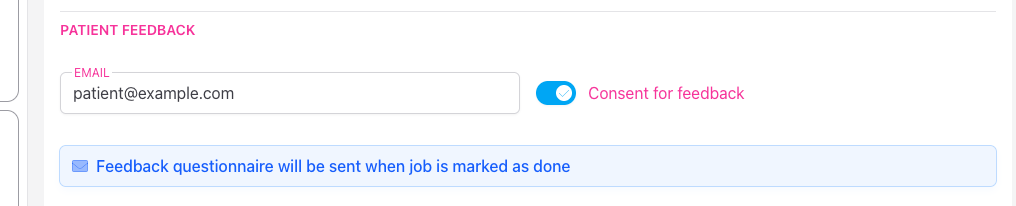
When all three conditions are met, a blue info message appears automatically in the Patient Details panel, directly below the Consent for feedback toggle:
"Feedback questionnaire will be sent when job is marked as done"
This message is live — it appears and disappears in real time as you edit the Email field or toggle Consent for feedback. If you can see the message, the email will go out when you tap Job Done. If the message isn't visible, it won't.
Recording the Patient's Email and Consent
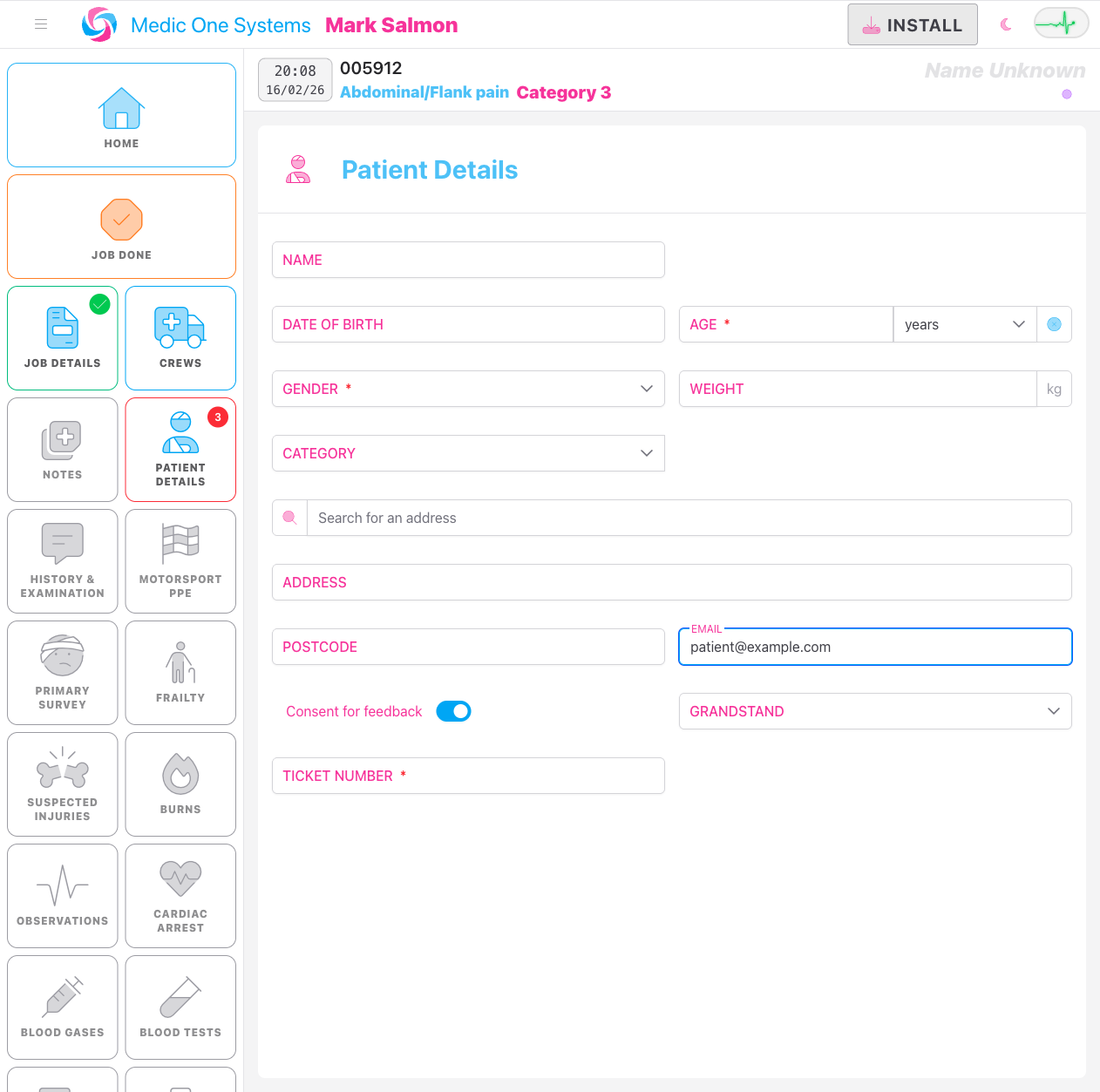
Both fields are in the Patient Details panel, in the Contact Details section.
Step 1: Open the Patient Details panel
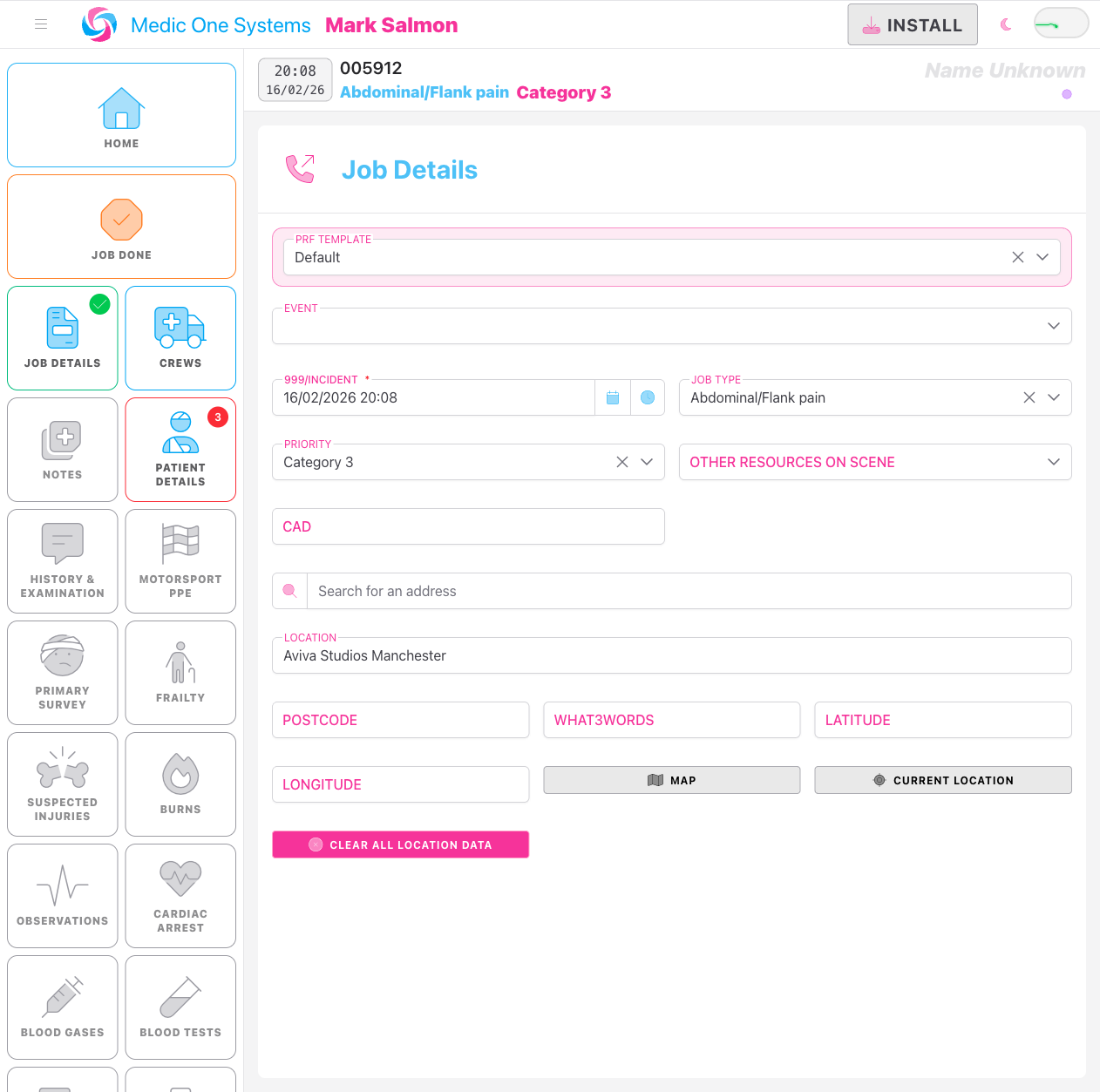
In the job editor sidebar, tap Patient Details to navigate to that panel.
Step 2: Enter the patient's email address
Scroll to the Email field and enter the patient's email address. The field accepts a standard email format — for example, jane.smith@example.com.
Step 3: Enable consent for feedback
Directly below the Email field, you'll see the Consent for feedback toggle. Switch it on if the patient has agreed to receive a feedback questionnaire.
Only enable this toggle if the patient has explicitly agreed to receive the feedback email. If they haven't, leave it off.
Once both the email and the consent toggle are set, the blue feedback warning message will appear immediately below.

What Happens When You Mark the Job as Done
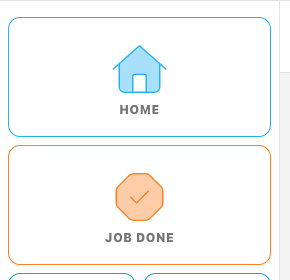
When you tap Job Done in the job editor sidebar, the following happens automatically:
- IndieBase validates the job's required fields as normal.
- Once validated, the job is marked as done and a feedback email is dispatched to the patient's recorded email address.
- The system records the exact date and time the email was sent against the patient record.
The email is sent as a queued background task — there may be a brief delay of a few seconds between marking the job as done and the email arriving in the patient's inbox, depending on your server's queue.
The email is only ever sent once
Once a feedback email has been sent for a patient, the system will not send it again — even if the job is later re-opened and marked as done a second time. This prevents duplicate emails reaching the patient.
If you re-open a completed job and mark it as done again, no second feedback email will be sent regardless of the current consent or email settings.
Preventing Unwanted Feedback Emails
If you do not want a feedback email sent to the patient, make sure at least one of the three conditions is not met before you mark the job as done:
- Don't enable the Consent for feedback toggle if the patient hasn't agreed to receive feedback. This is the simplest and most appropriate safeguard.
- Remove the patient's email address from the Email field before tapping Job Done — no valid email means no email is sent.
- Deactivate your team's feedback configuration to prevent feedback emails being sent for any job across your team. See Configuring Patient Feedback for how to do this.
The blue warning message is your confirmation that the email will go out. If the message is not showing, the email will not be sent.
Offline Use
IndieBase works offline, and the feedback email trigger is designed to handle this correctly. If you mark a job as done while offline, the change syncs to the server once your connection is restored — and the feedback eligibility check runs at that point. As long as the patient record has the correct email and consent set when the sync reaches the server, the feedback email will be dispatched.
Viewing Feedback Responses
Once a feedback email has been sent, the patient's responses will appear in the Feedback Dashboard. For information on viewing and managing feedback results, and on how feedback configuration versions affect the dashboard, see Configuring Patient Feedback.
Troubleshooting
The Consent for feedback toggle and Email field are not visible. These fields only appear when PID (patient identification) is enabled for your team. Contact your team administrator if the fields are missing.
The blue feedback warning message is not showing even though I've filled in the email and turned on consent. Check that your team's feedback configuration is set to Active in your team settings. If feedback is inactive, the warning will not appear and no email will be sent regardless of the patient's email and consent status. See Configuring Patient Feedback.
The patient didn't receive the feedback email. Check the following:
- Confirm the Email field contained a valid, correctly formatted email address at the time the job was marked as done.
- Confirm the blue warning message was visible before you tapped Job Done — if the message wasn't there, the email wasn't sent.
- Check whether the email address has a typo. If the email was dispatched to an incorrect address, no resend is possible without contacting your administrator.
I want to send feedback to a patient but the job has already been marked as done once. If the feedback email has already been sent (the timestamp has been recorded), the system will not send a second one. If no email was sent during the first "done" — because the conditions weren't met at the time — contact your team administrator, as there is currently no self-service mechanism to manually trigger a feedback email.